Dynamic text replacement is the query string rewriting the copy so each visitor reads their own line. On Unbounce or Instapage it fills a landing page you built there. Here it fills your overlay, and the page underneath is the article you already share, the way Sniply, Linko and Replug demo it. One link to every client. You are not going to build forty overlays. Ana has to feel the list is hers. Sam too. Saying hello is not a reason to click.
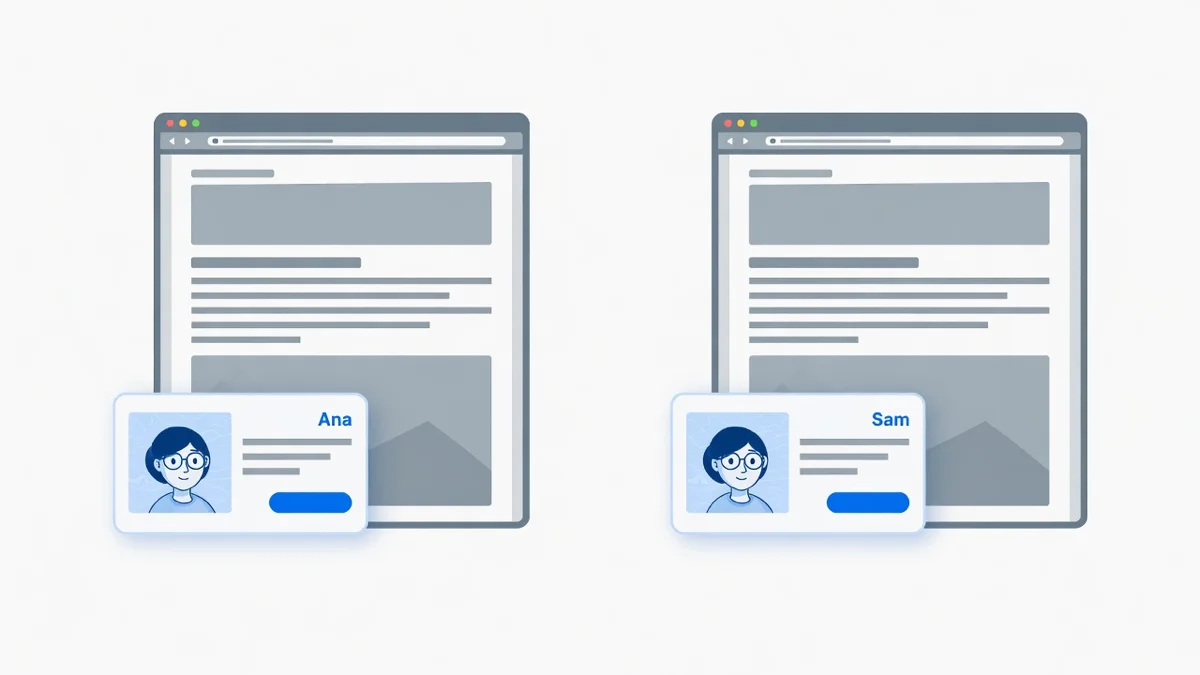
Same idea as landing page DTR, without the landing page
Unbounce, Instapage, Leadpages and Zoho all ship dynamic text replacement, and all four need the page to be theirs: you build it in their builder, then the query string fills it. That is a page you have to write before anyone reads a word of it. Here the page stays whoever's it was. You are not editing it and you are not installing anything on it. What you own is the overlay, and that is what the query string fills.
Do this
- Create a CTA. Card, banner, email box or video. Same trick on all of them.
- Write
{{title}}where the changing part goes. Headline, message, button text and click URL all take it.
Headline:{{title}}: 12 tools from this piece
Message:Ranked, with a link to each one.
Button:Get {{title}}'s list - The moment you type it, a row for
titleappears under the link Custom CTA for each link. You can also press + Add dynamic field first and type the token after. Up to 5 fields per CTA. - In that row, give the field its default: what it shows when the link arrives without
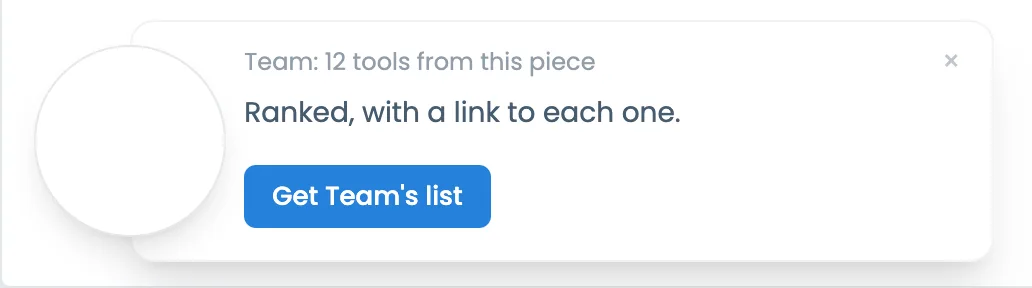
?title=. Default here:Team. A bare link then reads Team: 12 tools from this piece, button Get Team's list.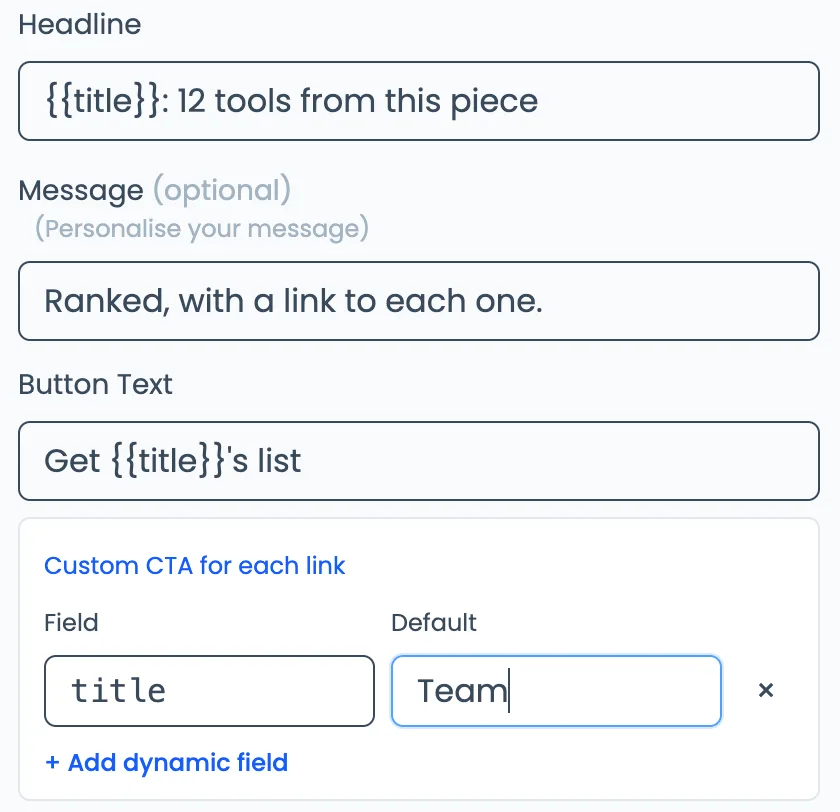
- Watch the preview fill with the default. That is what a bare link shows.
- Upload the graphic of that list (or a video of the walkthrough). Leave it. That file does not change per person.
- Save. Put the CTA on your Visib link to that article.
- Send Ana:
https://links.yoursite.com/tools?title=Ana
They read: Ana: 12 tools from this piece
Button: Get Ana's list - Send Sam:
https://links.yoursite.com/tools?title=Sam
They read: Sam: 12 tools from this piece
Button: Get Sam's list - Send the bare link:
https://links.yoursite.com/tools
They read the default: Team: 12 tools from this piece
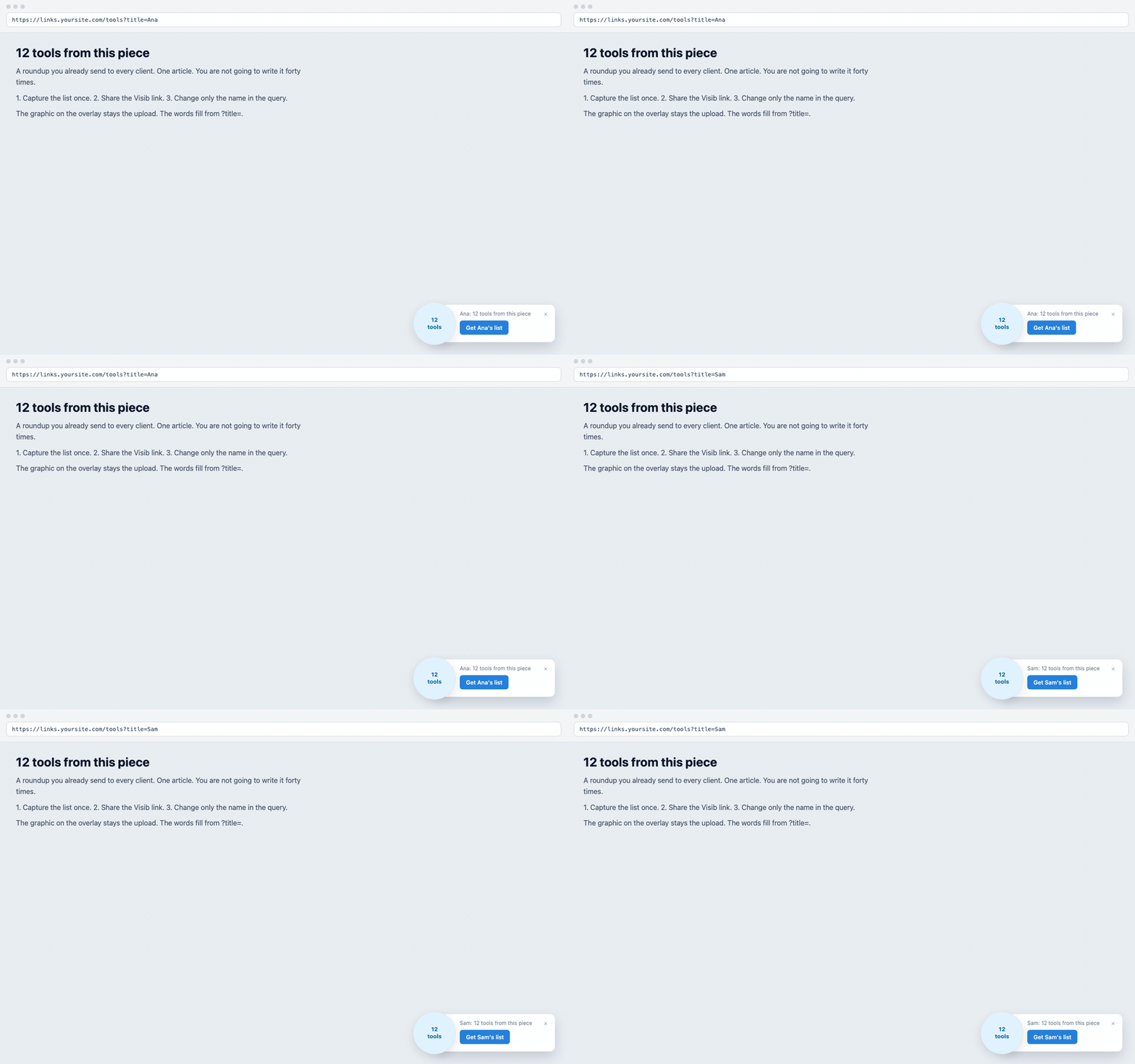
Same article. Same graphic. They click because the list has their name, not because you said hello.
What changes. What does not.
Changes: headline, message, button text, the click URL, the thank-you line on email capture.
Does not change: the photo, the video file, the logo. Upload those once.
Works on card, banner, email capture, video, and the older types (button, bar, text, image-link). Hidden has no overlay, so there is nothing to fill. If the destination blocks iframes, use a snapshot. The words still fill.
From Claude, ChatGPT or Cursor
Same overlay. Headline {{title}}: 12 tools from this piece. Send ?title=Ana. Graphic stays the upload. MCP setup: MCP server.
Business
Starter removes the blanks so nobody sees curly braces. Business fills them. The CTA works on visib.link with no domain of your own.
Headline: {{title}}: 12 tools from this piece
Message:   Ranked, with a link to each one.
Button:    Get {{title}}'s list
Default for title: Team

https://links.yoursite.com/tools?title=Ana
https://links.yoursite.com/tools?title=Sam
https://links.yoursite.com/tools